Tradespeople: Choosing the Best Invoicing App
For UK tradespeople, managing invoices efficiently is crucial for maintaining healthy cash flow and minimising administrative burdens. Choosing the right invoicing app can transform how you get paid, saving you valuable time and resources. But with so many options available, how do you select the best one for your specific needs?
This guide will walk you through the key considerations when choosing an invoicing app, helping you make an informed decision that benefits your business.
Understanding Your Invoicing Needs
Before diving into the features and functionalities of different apps, take a moment to assess your current invoicing process and identify areas for improvement. Ask yourself the following questions:
* How many invoices do you typically send each month?
* Do you need to track expenses and integrate them with your invoices?
* Do you require customisation options to reflect your brand identity?
* Are you looking for payment integrations to accept online payments?
* Do you need to generate reports to track your income and expenses?
Answering these questions will help you narrow down your options and focus on the features that are most important to you.
Key Features to Look for in an Invoicing App
When evaluating different invoicing apps, consider the following key features:
- Ease of Use: The app should be intuitive and easy to navigate, allowing you to create and send invoices quickly and efficiently. Look for apps with user-friendly interfaces and clear instructions.
- Customisation Options: The ability to customise invoices with your company logo, colours, and branding elements is essential for maintaining a professional image. Choose an app that allows you to create branded invoices that reflect your brand identity.
- Payment Integrations: Integrating with popular payment gateways like Stripe or PayPal allows you to accept online payments directly through your invoices, making it easier for clients to pay you. This can significantly improve your cash flow and reduce payment delays.
- Expense Tracking: Some invoicing apps offer expense tracking features, allowing you to record your business expenses and integrate them with your invoices. This simplifies your accounting process and helps you stay on top of your finances.
- Reporting Capabilities: Look for apps that offer reporting features, allowing you to generate reports on your income, expenses, and outstanding invoices. This provides valuable insights into your business performance and helps you make informed decisions.
- Mobile Accessibility: A mobile app allows you to create and send invoices on the go, from your smartphone or tablet. This is particularly useful for tradespeople who are often working on-site.
- Integration with Job Management Software: Ideally, your invoicing app should integrate seamlessly with your job management software for a streamlined workflow. This eliminates the need to manually transfer data between different systems and saves you time.
Top Invoicing App Options for UK Tradespeople
Here are a few popular invoicing app options that are well-suited for UK tradespeople:
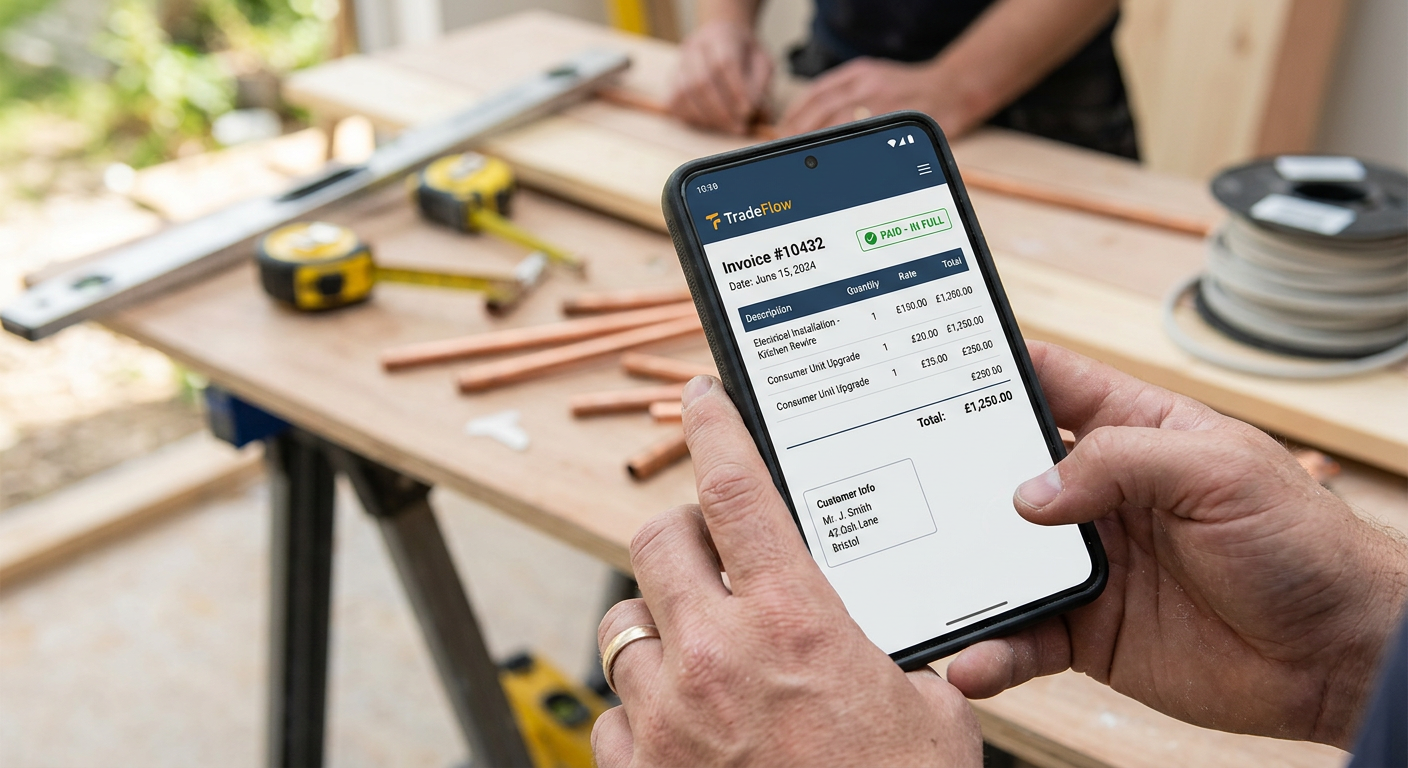
* TradeFlow: Our own job management software includes a fully integrated invoicing feature, allowing you to create professional invoices, track payments, and manage your finances all in one place. You can also use our AI phone answering integration to help you manage customer enquiries about invoices.
* Xero: A popular accounting software that includes invoicing features, Xero is a comprehensive solution for managing your business finances. However, it may be more complex than some tradespeople need.
* QuickBooks Online: Another popular accounting software with invoicing capabilities, QuickBooks Online offers a range of features for managing your business finances. Similar to Xero, it might be overkill for simple invoicing needs.
* FreeAgent: Designed specifically for freelancers and small businesses, FreeAgent is a user-friendly accounting software with invoicing features. It's a good option for tradespeople who want a simple and straightforward solution.
* Zoho Invoice: A free invoicing app that offers a range of features, including customisation options, payment integrations, and reporting capabilities. It's a good option for tradespeople who are just starting out and want a free solution.
Tip:
When comparing different invoicing apps, take advantage of free trials to test out the features and see which one best suits your needs. This will help you make an informed decision and avoid wasting money on an app that doesn't meet your requirements.
Setting Up Your Invoicing App
Once you've chosen an invoicing app, follow these steps to set it up:
- Create an Account: Sign up for an account and provide your business details, such as your company name, address, and VAT number (if applicable).
- Customise Your Invoice Template: Add your company logo, colours, and branding elements to create a professional invoice template.
- Set Up Payment Integrations: Connect your preferred payment gateways to accept online payments directly through your invoices.
- Add Your Clients: Import your client list or add clients manually, including their contact details and billing information.
- Configure Tax Settings: Set up your tax rates and configure how taxes are calculated on your invoices.
Best Practices for Invoicing as a Tradesperson
Follow these best practices to ensure that your invoicing process is efficient and effective:
* Send Invoices Promptly: Send invoices as soon as the job is completed to ensure that you get paid on time.
* Include All Relevant Information: Make sure your invoices include all relevant information, such as your company name, address, client details, a detailed description of the services provided, and the total amount due.
* Offer Multiple Payment Options: Provide your clients with multiple payment options, such as bank transfer, credit card, and online payment gateways, to make it easier for them to pay you.
* Track Outstanding Invoices: Keep track of your outstanding invoices and send reminders to clients who are late on payments.
* Consider Automation: Explore ways to automate your invoicing process, such as setting up recurring invoices for regular clients or using automated payment reminders.
Did you know?
Late payments are a significant problem for UK small businesses. According to a study by the Federation of Small Businesses (FSB), late payments cost UK small businesses an estimated £2.5 billion each year.
Integrating Invoicing with Other Business Processes
For maximum efficiency, integrate your invoicing app with other business processes, such as:
* Job Scheduling: Link your invoicing app with your job scheduling system to automatically generate invoices based on completed jobs.
* Expense Tracking: Integrate your invoicing app with your expense tracking software to automatically include expenses on your invoices.
* Accounting Software: Connect your invoicing app with your accounting software to automatically reconcile payments and generate financial reports.
Conclusion
Choosing the right invoicing app can significantly improve your cash flow, reduce administrative burdens, and save you valuable time. By carefully considering your needs, evaluating the key features of different apps, and following the best practices outlined in this guide, you can select an invoicing app that helps you run your trade business more efficiently. A professional website and consistent social media management can also help your business to attract more customers, further improving cash flow. Consider how these tools all work together to support your business growth.
Ready to streamline your invoicing process and take control of your finances? Explore TradeFlow's integrated invoicing features and discover how our job management software can help you run your trade business more efficiently.